What Are Companion Ads?
Companion Ads allow you to display multiple ad formats from the same advertiser at the same time.
Advertisers often provide more than one ad size, such as a 468×60 banner and a 728×90 leaderboard. With Companion Ads enabled, AdPeeps will attempt to pair those ads together so they appear simultaneously when a page loads.
This ensures consistent branding and improves visibility across multiple ad placements on the same page.
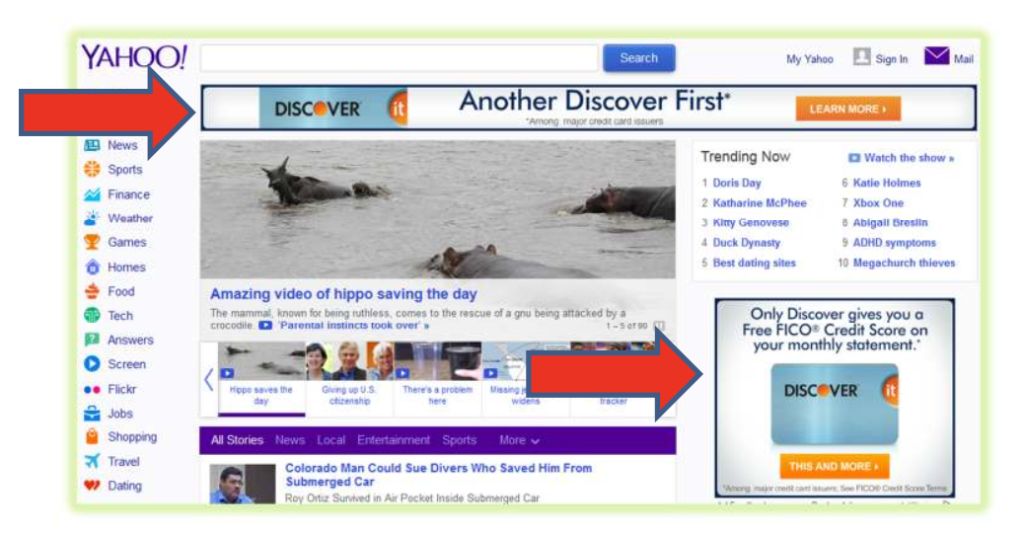
How Companion Ads Work
When Companion Ads are enabled, AdPeeps groups eligible ads and serves them together to the same visitor.
For example:
- A page loads
- AdPeeps selects a companion-enabled 728×90 ad
- The matching 468×60 companion ad is also displayed
- Both ads are shown at the same time to the user
This grouping happens automatically as long as setup requirements are met.
How to Enable Companion Ads
To activate Companion Ads for an advertisement:
- Create a new ad or edit an existing ad
- Navigate to the Other tab
- Set Companion Ad On/Off to On
- Save your changes
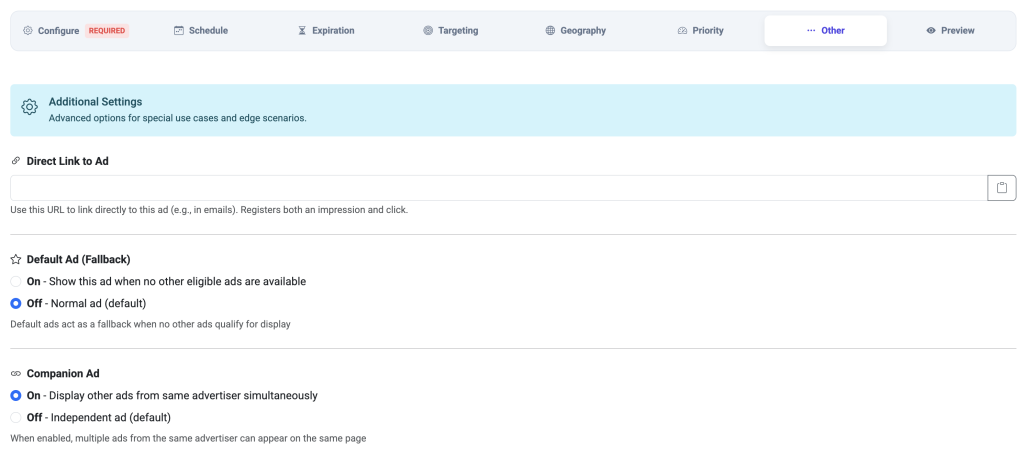
Once enabled, return to the Main Screen and look for a red
“C – For Companion” indicator next to the ad’s expiration date. This confirms the ad is marked as a companion.
Companion Ad Requirements
For Companion Ads to work correctly, the following conditions must be met:
| Requirement | Description |
|---|---|
| Multiple ads | The advertiser must have at least two ads marked as Companion Ads |
| Same campaign | All companion ads must belong to the same advertiser campaign |
| Same weight | Companion ads must use the same ad weight |
| Active ads | Ads must be active and eligible to display |
If any of these conditions are not met, ads may rotate independently instead of as a group.
Session-Based Matching
AdPeeps uses a short session window to coordinate companion ads.
- The system remembers the last companion ad shown
- This session lasts five seconds
- This helps ensure matching ads are displayed together during the same page load
This approach keeps delivery efficient without long-lived tracking.
Best Practices
- Always enable Companion Ads on all related ad sizes
- Keep companion ads within the same campaign for reliable matching
- Use identical weighting to avoid uneven delivery
- Test placements to confirm ads appear together as expected