What Is a Shared Account?
The Shared Account feature in AdPeeps allows you to create separate, independent accounts under a single primary account.
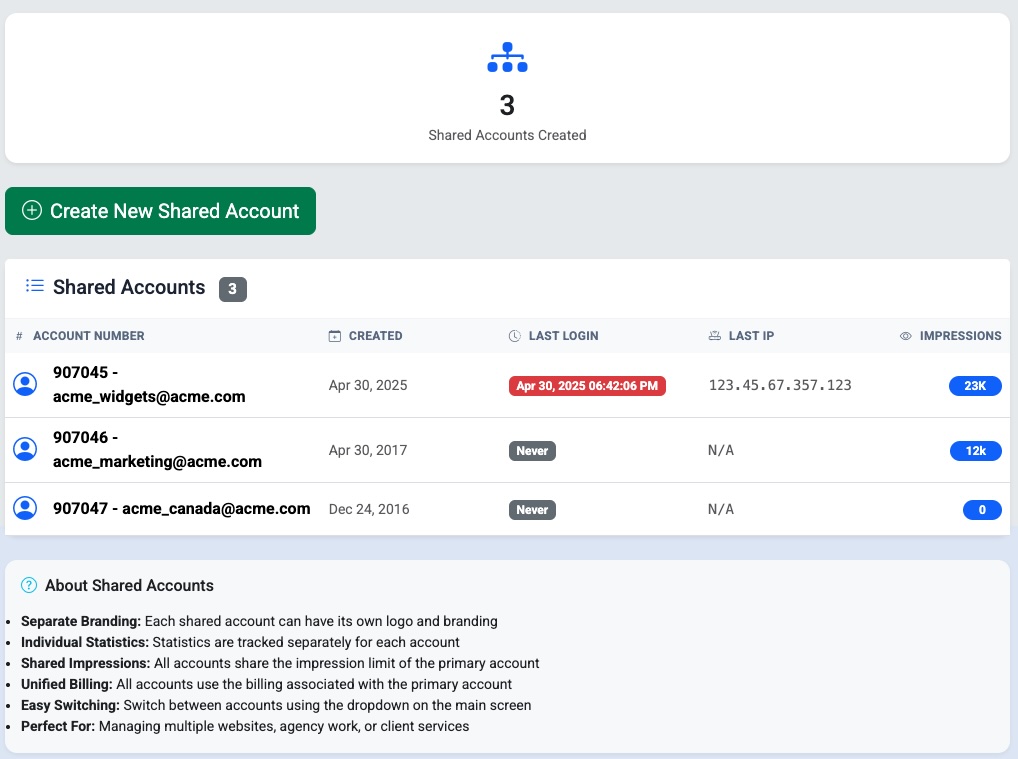
Each shared account has its own:
- Branding
- Account ID
- Ads and zones
- Reporting and statistics
- Login credentials
The key difference is that shared accounts use the impression limits and billing of the main account. They do not have their own billing profile.
This setup is ideal for:
- Managing multiple websites or domains
- Keeping client data separated
- Developers or agencies offering ad management as a service
- Organizations that want clean reporting without separate subscriptions
How Shared Accounts Work
Think of the primary account as the “parent” account.
- The main account controls billing and impression limits
- Each shared account operates independently for ads, zones, and reporting
- Impressions served by shared accounts count toward the main account’s limits
This allows you to scale across multiple domains without mixing data or branding.
How to Access the Shared Account Feature
To create or manage shared accounts:
- Log in as an Administrator
- Go to Features / Settings
- Select Share Account (Multiple Domains)
From here you can create, edit, or manage shared accounts.
Logging In and Switching Between Accounts
Shared accounts support two access methods:
- Direct login using the username and password created for the shared account
- Account switching from within the primary account
For security reasons:
- Shared (secondary) accounts cannot switch back into the primary account
- Only the main account can switch into shared accounts
This prevents unauthorized access to billing and global settings.
Best Practices
- Use shared accounts to keep client or site data clean and isolated
- Assign unique branding to each shared account for clarity
- Monitor impression usage from the main account since all shared traffic counts toward it
- Use direct login credentials for clients or team members who should not access the main account